Unaligned IDE · free and open source
The code editor made for coding with AI.
Free, open source and fast. A VS Code-style layout, one chat panel, and any model you want. Unaligned is built in: paste a key and start.
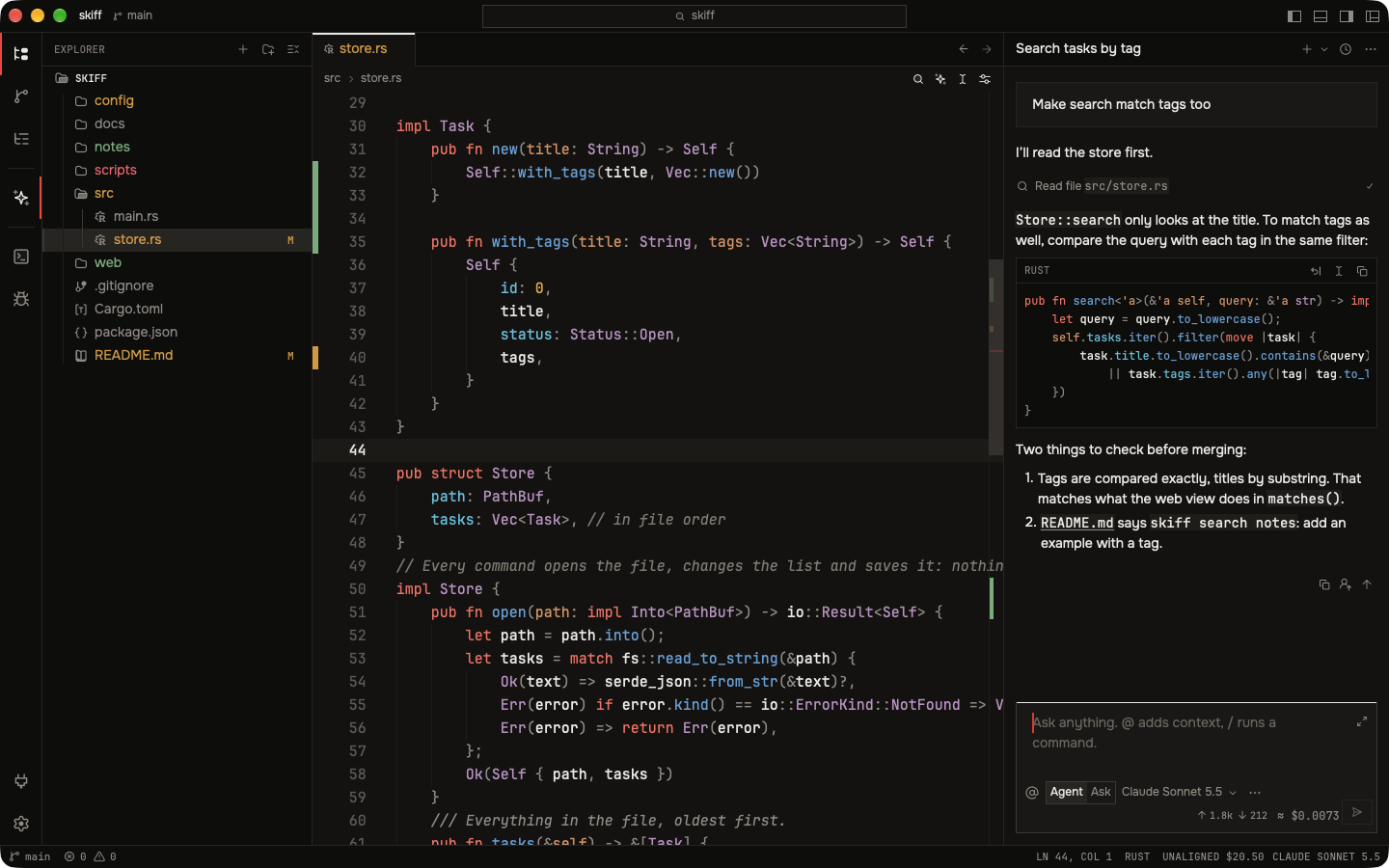
Pre-release. The editor is developed on macOS; the Windows and Linux builds are new and have not been tried on many machines yet.
- 01
Any model, your way
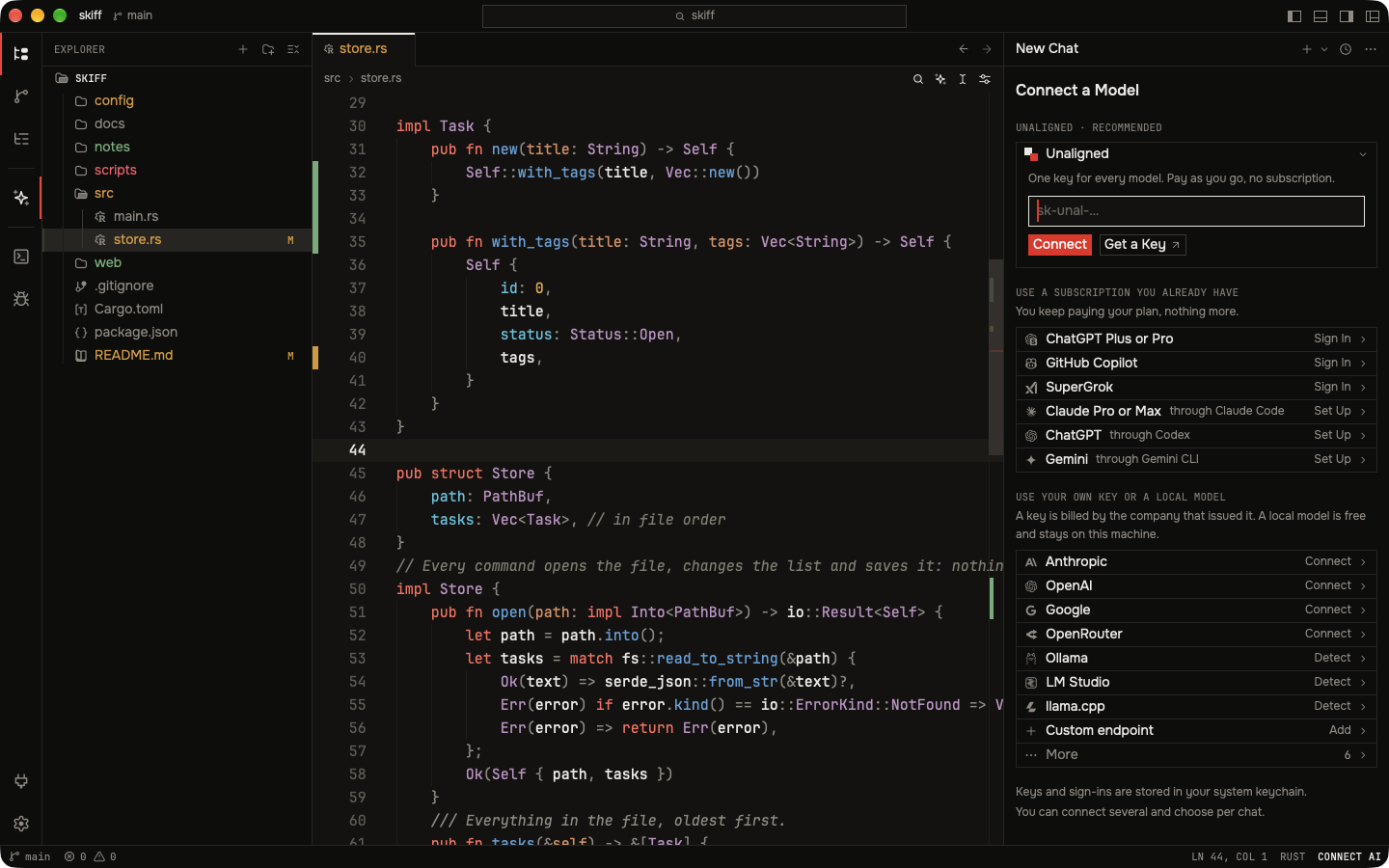
Unaligned with a key, the subscriptions you already pay for, your own keys at other providers, or local models. Connect several and choose per chat.
- 02
An editor you already know
VS Code keys and layout by default. Every panel moves: explorer, terminal and chat go where you want them.
- 03
Fast
Written in Rust and drawn on the GPU: it starts and scrolls fast.
- 04
Private by default
No account, no telemetry, no crash reports. Nothing is uploaded but what you send to the model you connected.
Coding in three steps
- 01
Install it
Download the build for your system below and open it.
- 02
Create a key
In your dashboard, under API keys. It is shown once: copy it.
- 03
Paste it in the chat
Open the chat (Ctrl+L) and paste the key: your balance and the models show up.
Download
The builds are not signed yet, so your system asks once before the first start.
- Windows 10 / 11 · x64 unaligned-ide-windows-x86_64-setup.exe
Run the installer. SmartScreen asks once: “More info”, then “Run anyway”.
- macOS · Apple Silicon unaligned-ide-macos-aarch64.dmg
Open the image, drag the application to Applications, then run this command once:
xattr -dr com.apple.quarantine "/Applications/Unaligned IDE.app" - macOS · Intel unaligned-ide-macos-x86_64.dmg
Open the image, drag the application to Applications, then run this command once:
xattr -dr com.apple.quarantine "/Applications/Unaligned IDE.app" - Linux · x86_64 unaligned-ide-linux-x86_64.AppImage
Make the file executable, then start it:
chmod +x unaligned-ide-linux-x86_64.AppImage
Open source, all of it.
Under the GPL-3.0, a fork of the Zed editor. Read the code, build it yourself, or send a fix.